





Harry Blackwell Chevrolet

Blog / Malden Chevrolet Service

GM Rewards for Chevrolet Owners After Purchase or Service

GM Rewards for Chevrolet Owners After Purchase or Service

GM Rewards gives Chevrolet owners points on eligible GM purchases. In addition, those points can support qualifying service, parts, accessories, and other GM transactions later. Because the program continues after delivery, it can stay useful well beyond the day you take your Chevrolet home. Your account becomes the place where earned points, redemption choices, and account details come together. Therefore, knowing the basic rules can make the program much easier to use.

How Chevrolet Owners Earn GM Rewards Points

GM Rewards points can come from several eligible GM transactions. Members earn one point per five dollars on eligible new GM vehicle purchases or leases. In addition, most other eligible GM purchases earn three points per dollar. Those purchases can include qualifying paid service, parts, accessories, and other approved GM transactions.

The earning rate changes by transaction type. Therefore, points from a vehicle transaction differ from points earned through many service or parts purchases. Chevrolet publishes current GM Rewards earning details through its official support resources. Your final points total also depends on which charges qualify under the program rules.

Some costs do not earn points. Taxes, discounts, rebates, warranty repairs, and certain repair charges may fall outside eligible spending. Because those exclusions matter, it is useful to review the transaction before estimating your points.

A simple way to think about earning is to separate each Chevrolet expense into three questions:

  • Is the purchase or service eligible under the current GM Rewards rules?
  • Is the qualifying amount based on the full transaction or only selected charges?
  • Did the purchase connect to the correct GM Rewards account?

That approach keeps the focus on eligible spending instead of the total invoice alone. In addition, it can reduce confusion when your posted point total differs from the full transaction amount.

How Chevrolet Certified Service Can Add Points

Chevrolet Certified Service at Harry Blackwell Chevrolet can be one way to keep using GM Rewards after purchase. Paid Certified Service may qualify for points when the work meets current program requirements. Therefore, routine maintenance can connect back to the same Rewards account used after the original vehicle transaction.

Oil changes, maintenance items, eligible parts, and qualifying accessories may create point earning opportunities. However, every line on a repair order does not necessarily qualify. Current rules may exclude warranty work, body shop repairs, taxes, and certain other charges.

The service visit can also work in both directions. You may earn points from eligible paid work. You may also be able to redeem GM Rewards points toward qualifying service, parts, or accessories. Therefore, the Rewards account can become part of the service payment process instead of remaining separate from vehicle care.

Before a visit, check your GM Rewards balance and account details. Then, tell the service team if you plan to redeem points. That gives the dealership a chance to confirm eligibility before finalizing the repair order. In addition, having your member information ready can make the redemption process easier at checkout.

Where GM Rewards Points Can Be Used

GM Rewards points are not limited to one type of transaction. Eligible redemption choices can include Chevrolet service, parts, accessories, OnStar, qualifying GM Financial activity, and certain vehicle transactions. Because the categories cover several stages of Chevrolet ownership, points can serve different needs at different times.

That said, the most useful redemption choice may change as your Chevrolet needs change. Someone due for scheduled maintenance may apply points toward eligible service. Another owner may use points for qualifying accessories. A customer with GM Financial may have another eligible redemption path through that account.

Before using points, review the current redemption rules for the transaction you have planned. The program can include category specific requirements, account steps, or redemption limits. Therefore, checking those details first can prevent surprises at the dealership or inside your GM account.

Common redemption paths include:

  • Qualifying Chevrolet Certified Service can give owners a direct way to apply points toward eligible vehicle care.
  • Eligible parts and accessories can provide another way to use points for Chevrolet related purchases.
  • Certain GM Financial, OnStar, and vehicle transactions may also accept points under current program terms.

GM currently values Rewards points at one cent each when you redeem them through General Motors. Therefore, 1,000 eligible points equal ten dollars in redemption value. Still, the exact redemption path should match the current rules for that purchase.

How to Check and Use Your GM Rewards Points

Your GM account is the main place to review GM Rewards information. The Rewards Dashboard can show your point balance, activity, and account details. In addition, it can provide access to information needed before a redemption.

Points may not appear the moment you complete a transaction. Most eligible points can post quickly, while some transactions can require more processing time. Therefore, a short delay does not always signal an account problem. If points still do not appear after the stated posting window, review the transaction and account details.

Your member number can also matter during redemption. Keeping that information available can make it easier to connect your dealership transaction with the correct Rewards account. In addition, verify that your account information matches the details used during the purchase or service visit.

A useful account check before service or another GM purchase includes three items:

  • Review your current point balance before deciding how many points you want to redeem.
  • Confirm your member information so the dealership connects the transaction to the correct account.
  • Check the current redemption terms for the service, part, accessory, or other GM purchase you plan to make.

That short review can make the dealership conversation clearer. It also gives you a better idea of what your points can cover before the transaction begins.

Keeping GM Rewards Connected to Chevrolet Ownership

GM Rewards can remain relevant after the initial Chevrolet purchase because the program reaches into later GM transactions. Service, parts, accessories, account activity, and selected future purchases can all connect back to the same Rewards membership. Therefore, the program works best when you treat the account as an ongoing part of Chevrolet ownership.

Harry Blackwell Chevrolet can assist when you are planning qualifying service, parts, accessories, or another Chevrolet transaction. Before your visit, review your GM Rewards account and current point balance. Then, bring your member information with you and ask which parts of the transaction qualify.

If your Chevrolet is due for maintenance or repair, you can also schedule Chevrolet service with Harry Blackwell Chevrolet before your visit.

The main goal is simple. Know how you earn points, know where you can redeem them, and check the current rules before using them. With those steps in place, GM Rewards can stay connected to your Chevrolet long after the original purchase.

Posted in:

Recommended Posts

Trax vs Trailblazer for Everyday Small SUV Decisions

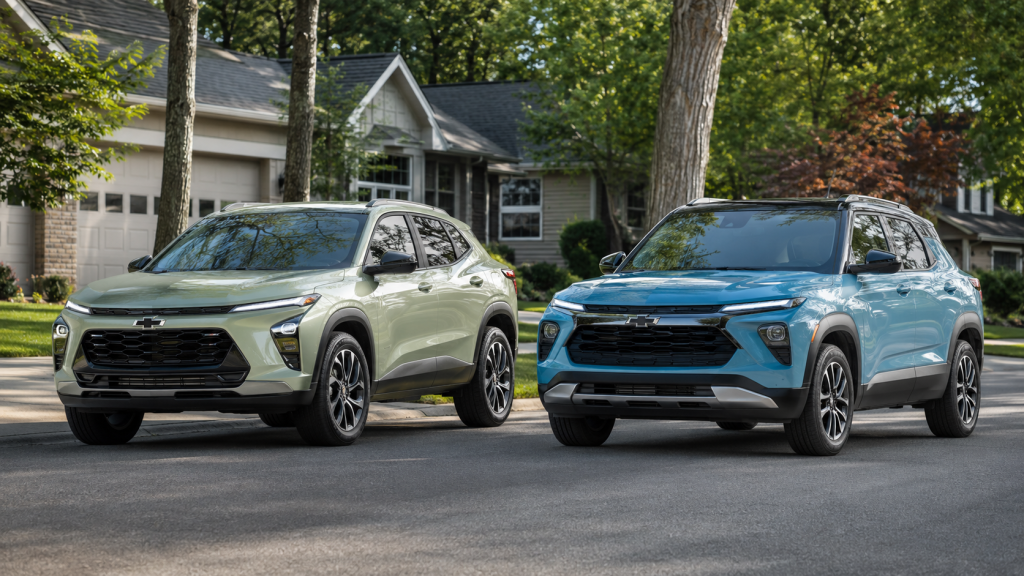
Trax vs Trailblazer gets easier to sort out when you picture your normal week. Both seat five and carry nearly the same total cargo volume. However, their layouts and drivetrain choices point toward different routines. Trax keeps the formula simple with front wheel drive and one turbo engine. Trailblazer adds available all wheel drive, another turbo engine, and a longer cargo path. Therefore, the decision starts with where you drive, what you carry, and how much choice you want. Where Trax and Trailblazer Overlap What separates Trax vs Trailblazer in daily life? The biggest splits involve drivetrain choice, cargo shape, and available engine output. However, the two Chevrolet crossovers overlap more than their names suggest. Both models seat five people. Additionally, rear legroom is very close between them. Trax offers 38.7 inches in the second row. Trailblazer provides about 39 inches. Therefore, rear passenger space alone is unlikely to settle the choice. Moreover, cargo volume tells a similar story. Trax provides 25.6 cubic feet behind the rear seat. Trailblazer provides 25.3 cubic feet in the same area. With rear seats folded, both offer about 54 cubic feet. That close match shifts attention toward your routine. A commuter may care more about a simple front wheel drive layout. A traveler may care more about available all wheel drive. Moreover, someone carrying long gear may prefer the Trailblazer folding front passenger seat. For this reason, Trax vs Trailblazer works best as a routine comparison. Start with passengers and cargo, then move toward drivetrain and engine choices. Passenger Space and Cargo Shape Which one gives passengers and cargo more room? Their basic measurements are close, but the cargo layouts serve different tasks. Therefore, cubic feet should not be the only number you review. Additionally, Trax has a broad rear cargo area behind the second row. That space suits groceries, backpacks, pet gear, and luggage without folding rear seats. Additionally, its 38.7 inches of rear legroom leaves useful space for adult passengers. Trailblazer stays close in those same measurements. However, its fold flat front passenger seat changes how long items can travel inside. Chevrolet lists up to 8.5 feet of cargo length with the seats arranged for long loads. That layout can matter for items such as flat pack furniture, trim pieces, fishing rods, or outdoor gear. Instead of focusing only on total volume, think about the shape of what you carry. Before choosing either model, test the cargo area with your own routine in mind: Check whether your stroller, pet crate, cooler, or work bag fits behind the rear seat without rearranging passengers. Fold the rear seats and note whether the load floor gives enough length for larger items you move regularly. If long gear matters, test the Trailblazer front passenger seat and confirm that the added length solves your specific need. Trax vs Trailblazer remains close on ordinary passenger and cargo space. By contrast, Trailblazer gains a distinct edge when interior load length matters. When Available All Wheel Drive Matters When does Trailblazer all wheel drive make more sense? It gives the driver another drivetrain choice for trips where four wheel power delivery is preferred. Trax uses front wheel drive across the lineup. Additionally, front wheel drive sends engine power to the front wheels. That layout keeps Trax straightforward for commuting, errands, and paved travel. In addition, it removes an extra drivetrain choice from the shopping process. Trailblazer offers available all wheel drive. The setup can send power through all four wheels when the drivetrain calls for it. Therefore, shoppers who want that layout have a clear reason to focus on Trailblazer. The decision should still match your normal routes. If most miles involve paved streets and highway commuting, Trax may cover the task well. If your plans include gravel lanes, steep driveways, or more varied travel, Trailblazer offers another drivetrain path. Trax vs Trailblazer becomes much easier once AWD enters the discussion. One model keeps front wheel drive standard across every trim. The other gives you a choice. Engine Choices and Longer Trip Needs Does Trailblazer's stronger engine make it the automatic choice? No. Engine output matters most when it matches the way you plan to use the SUV. Moreover, Trax uses a 1.2 liter turbo engine with 137 horsepower and 162 pound feet of torque. That single engine keeps the lineup simple. Therefore, shoppers do not need to sort through several engine combinations. Trailblazer also offers a 1.2 liter turbo. In addition, an available 1.3 liter turbo raises output to 155 horsepower and 174 pound feet. That gives shoppers another step when they want more engine output. Trailblazer also separates itself through light trailer use. Chevrolet lists up to 1,000 pounds of towing for the 2026 Trailblazer. Trax is not rated for towing. Therefore, even a small trailer plan can settle the comparison quickly. Before choosing, think through these routine questions: Do you want one engine choice, or do you want the option of higher output? Will you ever carry a small trailer that stays within the Trailblazer published rating? Do long cargo items appear in your routine more than ordinary bags, groceries, and passenger gear? These answers may matter more than a small difference in total cargo volume. Moreover, they connect each specification to a task you already know. Which Chevrolet Small SUV Fits Your Routine Therefore, the final Trax vs Trailblazer decision should reflect the week you already live. Trax suits shoppers who want five seats, useful cargo room, and a straightforward front wheel drive layout. Its rear passenger space also stays close to Trailblazer. Trailblazer makes more sense when AWD, longer interior cargo length, or light towing enters the plan. Additionally, the available 1.3 liter turbo gives another engine choice. Those differences create clearer reasons to move toward Trailblazer. For commuters and errand heavy schedules, Trax keeps the setup simple. For mixed travel and more varied cargo needs, Trailblazer offers more configuration choices. Still, both remain compact Chevrolet crossovers with similar seating and cargo volume. The best comparison happens when you test your own routine inside both cabins. Sit in the rear seat, fold the seats, and open the cargo area. In addition, check the controls and visibility from the driver's seat. Harry Blackwell Chevrolet can place Trax and Trailblazer side by side for that comparison. Then you can choose the one that fits your week with fewer compromises.

What Drivers Should Expect During a Chevy Service Visit

Scheduling a chevy service appointment is straightforward, but knowing what happens from the moment you arrive to the moment you drive away makes the visit more predictable and far less stressful. Most drivers show up with a general sense of what needs attention but little understanding of how the dealership process actually unfolds. This blog walks through each stage of a Chevrolet service visit: the check-in, the inspection, how timing is determined, how communication flows during the appointment, and what the pickup process looks like. The goal is to remove the uncertainty that makes service visits feel longer and more complicated than they need to be. The Check-In Process When you pull into the service lane at Harry Blackwell Chevrolet, the first person you connect with is your service advisor. That role is worth understanding clearly because it shapes everything that follows. A service advisor is the dedicated point of contact between you and the technician working on your vehicle. They are not the person turning the wrench, but they are responsible for translating what you describe into a documented work order that communicates the concern accurately to the technician assigned to your car. The check-in conversation covers a few specific areas. Your advisor will ask about the primary concern that brought you in, any warning lights currently active on the instrument cluster, and whether you have noticed any changes in how the vehicle sounds, handles, or responds. These details matter because a technician cannot duplicate and diagnose a symptom they have not been told about. If your Silverado has been making a clicking sound during cold starts, that is information the work order needs to capture precisely. At this stage, you will also confirm your contact preference for updates during the visit, whether you plan to wait at the dealership or need a shuttle, and your advisor will review any applicable recalls or open campaign notifications tied to your VIN. Once the work order is finalized and you sign off, your vehicle enters the active service queue. What the Multi-Point Inspection Covers Nearly every Chevrolet service visit includes a multi-point inspection, and it is one of the most misunderstood parts of the process. What the inspection is checking and why it is performed is rarely explained in detail, which leads some drivers to view it with skepticism. Understanding the mechanics of it removes that uncertainty. A certified Chevrolet technician moves through a structured assessment of your vehicle's major systems, organized by urgency and function. The inspection is divided into categories that correspond to safety-critical components, wear-based components, and fluid and filter status. Within those categories, the technician evaluates items including brake pad thickness, rotor condition, tire tread depth and inflation pressure, suspension and steering linkage, battery charge state and terminal condition, belts and hoses, all fluid levels with an assessment of fluid color and contamination, and exterior lighting functionality. Each item receives a status rating, commonly represented by color coding: green indicates the component is within acceptable range, yellow indicates it is approaching a service threshold and should be monitored, and red indicates it requires attention now. The output of this inspection is a vehicle health report, and your service advisor reviews the findings with you before any additional work beyond your original request is authorized. Nothing on the inspection list is acted on without your approval. The inspection itself does not add time to most appointments because it runs concurrently with other service work the technician is performing. For Chevy owners whose vehicles are approaching higher mileage intervals such as 30,000, 60,000, or 90,000 miles, the multi-point findings become especially relevant because wear patterns across multiple systems tend to converge. An inspection at those intervals often surfaces a combination of yellow and red items that are more cost-effective to address together than on separate visits. How Long Will My Service Visit Take? Timing is the question most drivers want answered before they arrive, and it is also the one most frequently represented by generic estimates that do not reflect how service scheduling actually works. The honest answer is that service duration depends on the type of work being performed, the number of vehicles ahead of yours in the queue, parts availability, and whether the multi-point inspection surfaces additional findings that require your decision before work can proceed. Routine maintenance visits, including oil and filter service, tire rotation, and cabin air filter replacement, are designed to move efficiently through the service process. These jobs are well-defined, require no diagnostic time, and the parts are stocked in advance. Diagnostic visits operate differently. When a vehicle comes in for a concern that requires the technician to reproduce the symptom, connect to the diagnostic interface, pull fault codes, and interpret those codes against live sensor data, the time required to reach an accurate conclusion is longer and less predictable from the outside. Repair work that requires part ordering introduces a separate variable. If a component is not in local inventory, your advisor will contact you with two options: leave the vehicle while the part is sourced, or schedule a return visit once the part arrives. Either path is normal, and your advisor will communicate the expected lead time clearly. The most reliable way to manage your schedule around a service visit is to ask your advisor at check-in for a time estimate based on your specific work order rather than a general range. The following factors directly influence how long your appointment runs: Appointment type: routine maintenance moves faster than diagnostic or multi-system repair Queue position: earlier appointments in the day face fewer delays from prior job overruns Parts availability: in-stock components eliminate sourcing delays entirely Inspection findings: yellow or red findings that require your decision add a short communication step before the technician can proceed How Communication Works During Your Visit One of the most common frustrations drivers describe after a dealership service visit is not knowing what was happening while their vehicle was being worked on. That communication gap is preventable, and understanding how it is supposed to work helps you know what to expect and what to ask for. After your vehicle enters the service bay, your advisor receives updates from the technician as the work progresses. If the multi-point inspection surfaces a finding that was not part of your original appointment, such as a brake pad that has reached the red threshold, your advisor will contact you directly using the preference you set at check-in. That contact will include a clear explanation of what was found, the recommended action, and the associated cost. You are not expected to approve anything during that conversation without enough information to make a confident decision. You can approve the additional work, defer it to a future visit, or ask for more time to decide. If no additional findings require your input, the next communication you receive is the notification that your vehicle is ready for pickup. For drivers waiting on-site, your advisor will come to the waiting area directly. For drivers who left the dealership, the notification arrives by the method you selected at check-in. The advisors at Harry Blackwell Chevrolet are available throughout the day if you want a status update on your vehicle before the formal completion notification goes out. What Happens at Pickup Pickup is the final stage of the service process, and it is also the most information-dense part of the visit for the driver. When your vehicle is ready, your advisor will walk you through the completed work order, which documents every item that was performed, the parts used, the labor involved, and the total cost. This is also when you receive the printed vehicle health report from the multi-point inspection, which shows the status of every system that was assessed during the appointment. Take time to review both documents before leaving the service lane. The work order is your record of what was completed and authorizes any parts or labor warranty coverage tied to that visit. The vehicle health report functions as a reference for your next service interval. Yellow-coded items noted on today's report are the ones most likely to become red-coded by your next visit, giving you a head start on planning. Both documents are worth keeping in your glove box or filing at home alongside your registration and insurance paperwork. Your advisor will also confirm the mileage interval for your next recommended service and, if your vehicle uses an oil life monitoring system, verify that it was reset correctly before the vehicle was returned to you. If any of the work performed is covered by a GM powertrain warranty, your certified pre-owned warranty, or a service contract, your advisor will clarify what was covered and what was your out-of-pocket responsibility. Driving away from a Chevy service visit should feel complete, not uncertain. Knowing what you received, what your vehicle's current condition looks like, and when to return is the standard the service process is built around.

Chevy Bolt Charging: What First Time EV Owners Need

Chevy Bolt charging becomes easier to plan once you know where the car will park and how far you drive. Therefore, most daily charging can happen while the Bolt sits overnight. The first step is matching your routine with the available power source. For this reason, a regular household outlet may cover shorter daily trips. However, a 240 volt setup restores more energy during the same parking window. Public fast charging then supports longer travel beyond Malden and nearby communities. Therefore, the goal is simple. Learn what each charging level does, how long it takes, and what to check before plugging in. Start With Your Daily Miles and Parking First, your daily mileage gives you the clearest starting point for Chevy Bolt charging. Additionally, a short commute may require less energy than you expect. However, longer routes need more overnight charging power. How far do you drive on a normal day? That number shows how much battery energy you need to replace each night. The answer does not require advanced math. Therefore, start with three details: Record your normal round trip mileage, including errands and school stops. Check whether the Bolt can remain parked near an outlet overnight. Note how many hours the car usually stays parked before the next trip. For this reason, a driver covering 25 miles may replace that energy through a standard outlet. A driver covering 70 miles may prefer 240 volt charging. In addition, parking access matters. A garage, driveway, or dedicated parking spot makes home charging easier to arrange. However, renters may need permission before adding electrical equipment. Therefore, think about where the cable will reach. Avoid extension cords unless Chevrolet and the charging equipment maker permit them. A licensed electrician should inspect any outlet planned for steady charging. Chevy Bolt charging works best when the home setup matches the miles driven. That simple match removes much of the confusion. How Does Chevy Bolt Charging Work? First, Chevy Bolt charging moves electricity from an outlet or public station into the battery. Additionally, the car controls how much power enters at each moment. At home, alternating current travels through the charging cord. The Bolt then converts that power before storing it in the battery. Public fast chargers send direct current toward the battery instead. What happens after you connect the cable? The car and charger complete a safety check before energy starts moving. Then, the screen shows charge status and estimated completion time. Therefore, plugging in is only the first step. The Bolt also checks battery temperature, current battery level, and available charger output. In addition, Level 1 and Level 2 charging use the car's onboard charging hardware. DC fast charging follows a different electrical path. That path supports faster energy transfer during travel stops. In addition, the car slows the charging rate as the battery gets fuller. This protects the battery and manages heat. Therefore, the last part of a fast charging session may take longer. Therefore, Chevy Bolt charging does not require you to manage each electrical step. Still, knowing the basic path makes charger choices easier. Choose Between Level 1 and Level 2 at Home First, Level 1 uses a standard 120 volt household outlet. By contrast, Level 2 uses 240 volt power from a suitable outlet or wall unit. Which option fits your routine? Level 1 may work when daily mileage stays low and the Bolt remains plugged in overnight. Level 2 fits drivers who need more energy restored before morning. A standard outlet adds energy slowly. However, it may still cover a light commute when the car stays connected for several hours. By contrast, Level 2 sends more power during the same parking period. The returning Bolt can accept up to 11.5 kW through Level 2 charging. Before choosing, review these points: Level 1 may fit short daily routes and long overnight parking windows. Level 2 may fit longer commutes, frequent errands, or limited parking time. A licensed electrician should inspect the circuit before steady home charging begins. Additionally, home charging equipment also needs the correct circuit size. In addition, the outlet and wiring must match the charger’s power draw. Chevy Bolt charging at home becomes simple once the setup fits your routine. Plug in after the final trip, then unplug before leaving. How Long Does Chevy Bolt Charging Take? First, Chevy Bolt charging time changes with battery level, charger output, and accepted power. A nearly empty battery takes longer than a small top up. How long should you expect to wait? The answer starts with how much energy the battery needs. Therefore, charging from 60 percent to 80 percent takes less time than charging from 10 percent. Level 1 works slowly through a household outlet. Therefore, it suits small daily energy needs and long parking periods. Level 2 adds energy faster through 240 volt power. It can restore a larger share of the battery during an overnight session. By contrast, DC fast charging serves travel stops. The 2027 Bolt can accept up to 150 kW at a compatible station. Additionally, Chevrolet estimates about 25 minutes from 10 percent to 80 percent. However, that estimate will not match every stop. Charger output, battery temperature, station demand, and starting battery level all shape the session. In addition, fast charging slows as the battery nears a high charge level. Therefore, drivers may spend less time by leaving before the battery reaches full. Chevy Bolt charging time makes more sense when you compare the charging method with the trip. Therefore, home charging serves routine travel. By contrast, fast charging serves longer routes. Use Public Charging Without Guesswork First, public charging begins with four checks: connector, charger speed, access, and payment. However, the nearest station may not fit every charging need. Can you use any station shown on a map? No. First, confirm that the station supports the Bolt’s NACS charge port. Additionally, check the charger’s listed output. The myChevrolet mobile app can show station locations and support route planning. However, drivers should still review current station status before leaving. Use this process before a public charging stop: Confirm the station has a connector that fits the Bolt. Check whether the charger offers Level 2 or DC fast charging. Review access hours, price details, and current charger status. Some stations sit inside parking garages, dealerships, hotels, or shopping areas. Therefore, access may change after business hours. In addition, some networks require an account or app. Setting that up before travel prevents delays at the charger. Chevy Bolt charging at a public station should start with the cable connection. Then follow the station screen or app prompts. Therefore, public charging does not need to feel uncertain. A short review before departure can prevent wasted stops. Plan Charging Around Southeast Missouri Travel First, home charging may cover most trips around Malden, Kennett, Poplar Bluff, and nearby communities. However, longer routes may require one planned public stop. How should you prepare for travel beyond your normal area? Start with the full route, then locate compatible chargers before leaving. Additionally, add a backup station when choices are limited. The 2027 Bolt carries an EPA estimated range of 262 miles. However, speed, hills, cabin heating, cooling, and cargo can change available range. Therefore, do not plan around the full estimate alone. Leave room for detours, missed exits, and charger availability. A trip toward Cape Girardeau, Memphis, or St. Louis may require different planning. In addition, highway speeds can use energy faster than local travel. Before departure, set the desired charge level and review the route in the app. Then confirm that each planned station supports the NACS connector. Chevy Bolt charging can fit rural and regional travel when home charging handles routine miles. Public fast charging then covers longer days. Therefore, EV ownership becomes easier once charging follows a repeatable pattern. Charge at home, plan public stops, and check station details before each longer trip.